Why?
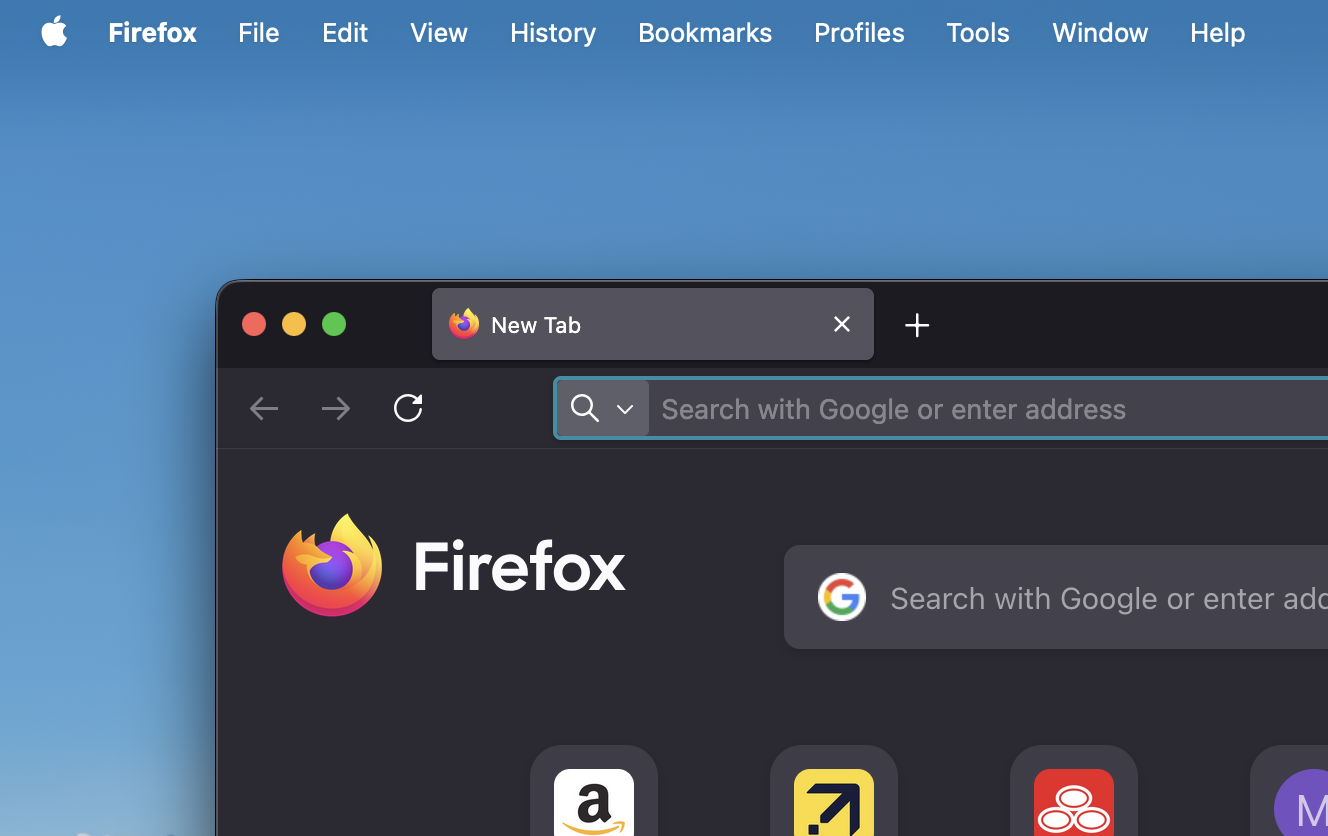
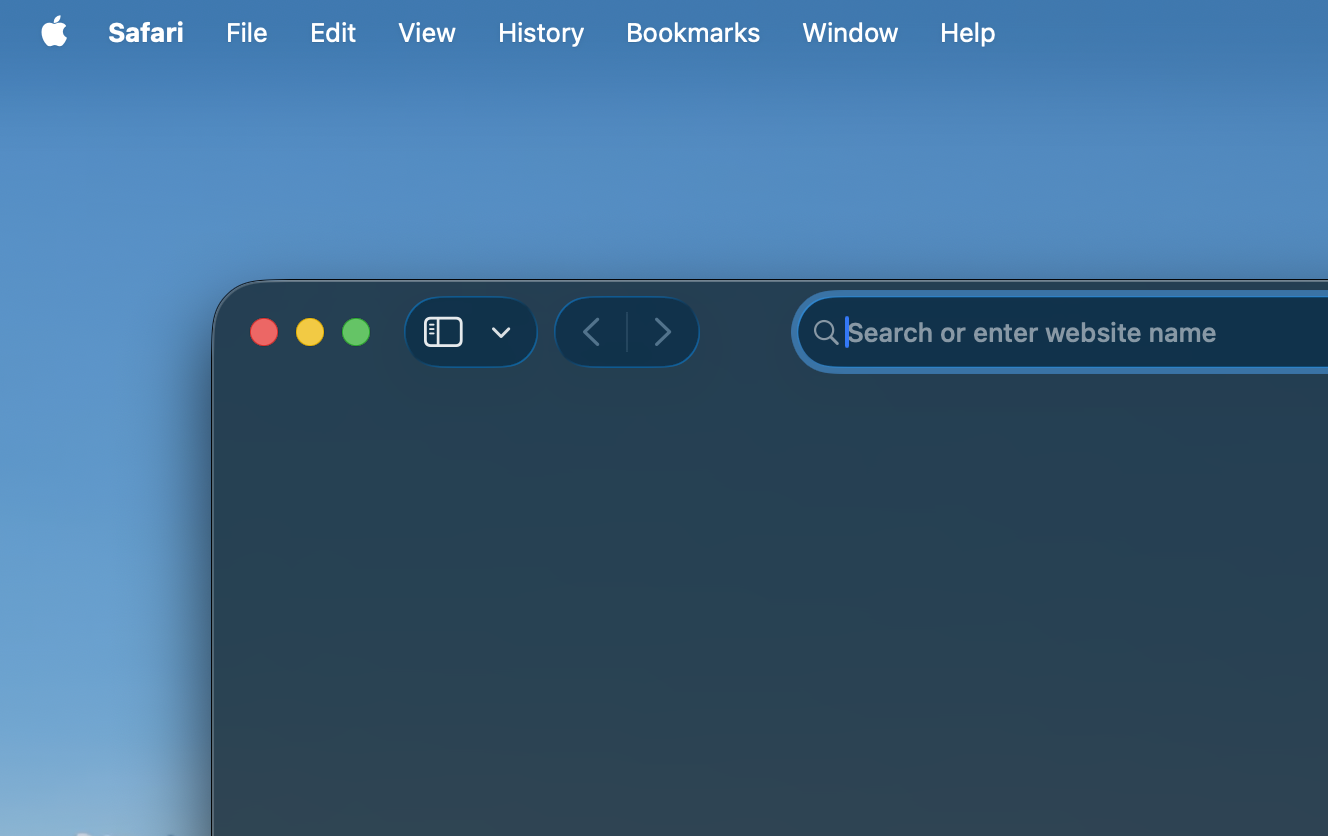
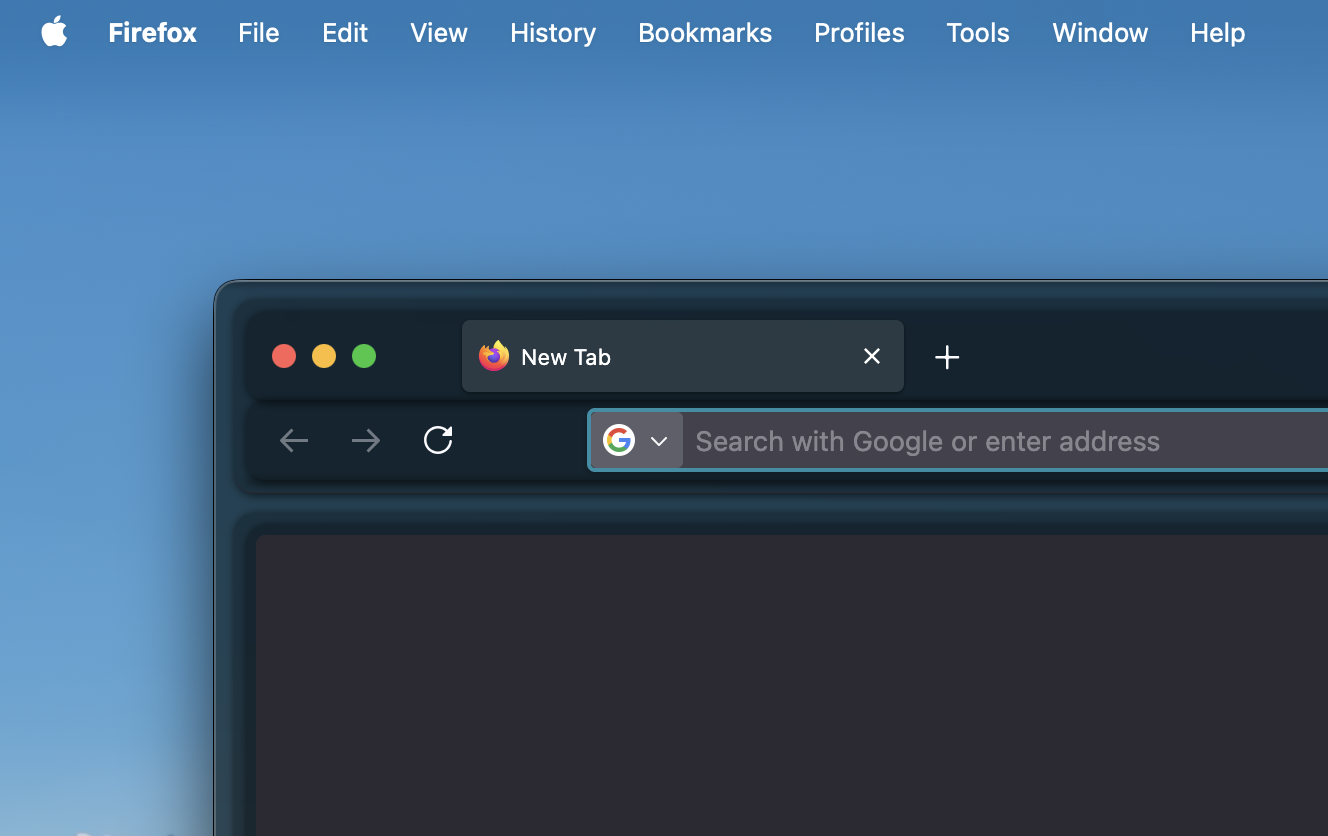
After the release of Apple’s Liquid Glass on September 15, 2025, macOS Tahoe added a lot of glass effects to the user interface, including Safari. As someone who mostly uses Firefox at the moment, I wanted to give Firefox the “Liquid Glass” makeover too which led me down the rabbit hole of custom CSS profiles in Firefox.
Glassfox
I found this repo, which includes custom CSS files that let you change the appearance of Firefox. After reviewing the code, it seemed like a fun one to try, so I went for it.
Install
- Go to
about:profilesand find the file path of your Firefox profile. - Open that directory and create a
chromefolder. - Inside this new folder, add a
userChrome.cssfile and paste your custom CSS code there. - Go to
about:configand set the following values toTrue:toolkit.legacyUserProfileCustomizations.stylesheetswidget.macos.titlebar-blend-mode.behind-windowbrowser.tabs.allow_transparent_browser
- You can learn more about customization here.
- Restart Firefox, and you should be good to go!
Before and After
Up Next
I have already made a few CSS snippets for my Obsidian editor and my blog website. Now that I know I can do something similar with Firefox at the browser level this makes me want to learn more about this space! I love using platforms that allow you to learn and customize your tools to how you like them.
Credits
Credit to
Ashley-Causeon GitHub for the CSS code!